Features

A real review, not a summary. From your side, with the evidence.

Upload a lease, a job offer, an NDA or a client agreement. In about a minute you get a report that knows who you are, scores the contract from a fixed rubric, quotes every clause it talks about, hands you the wording to push back with, and keeps answering questions afterwards. Everything below is shown on a real, openly licensed contract.

Reviewed from your side

Tell it who you are, where you are, and what worries you.

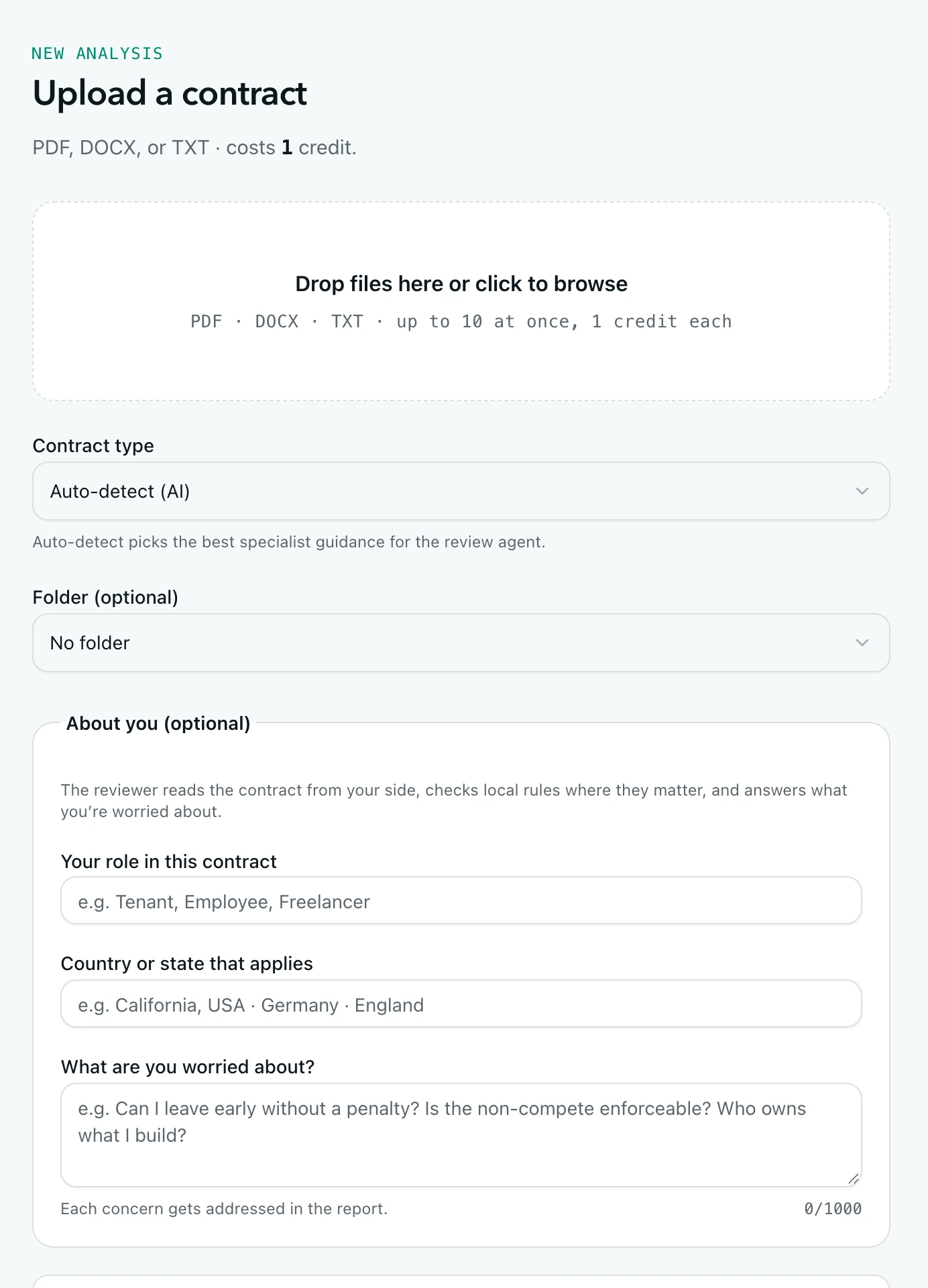
Pick your role (tenant, employee, freelancer, founder…), the country or state that applies, and type your concerns in plain words. The review reads every clause from your side, points out where local rules change the picture, and answers each concern explicitly.

  • 21 contract types, each with its own checklist and scoring rubric
  • Role suggestions per type, free-text concerns, jurisdiction notes
  • Upload up to 10 PDF, DOCX or TXT files at once (10 MB each), one credit each
  • English-language contracts for now
Upload form with role, jurisdiction and concerns fields

A score you can trust

Every point is explained, and the same contract always scores the same.

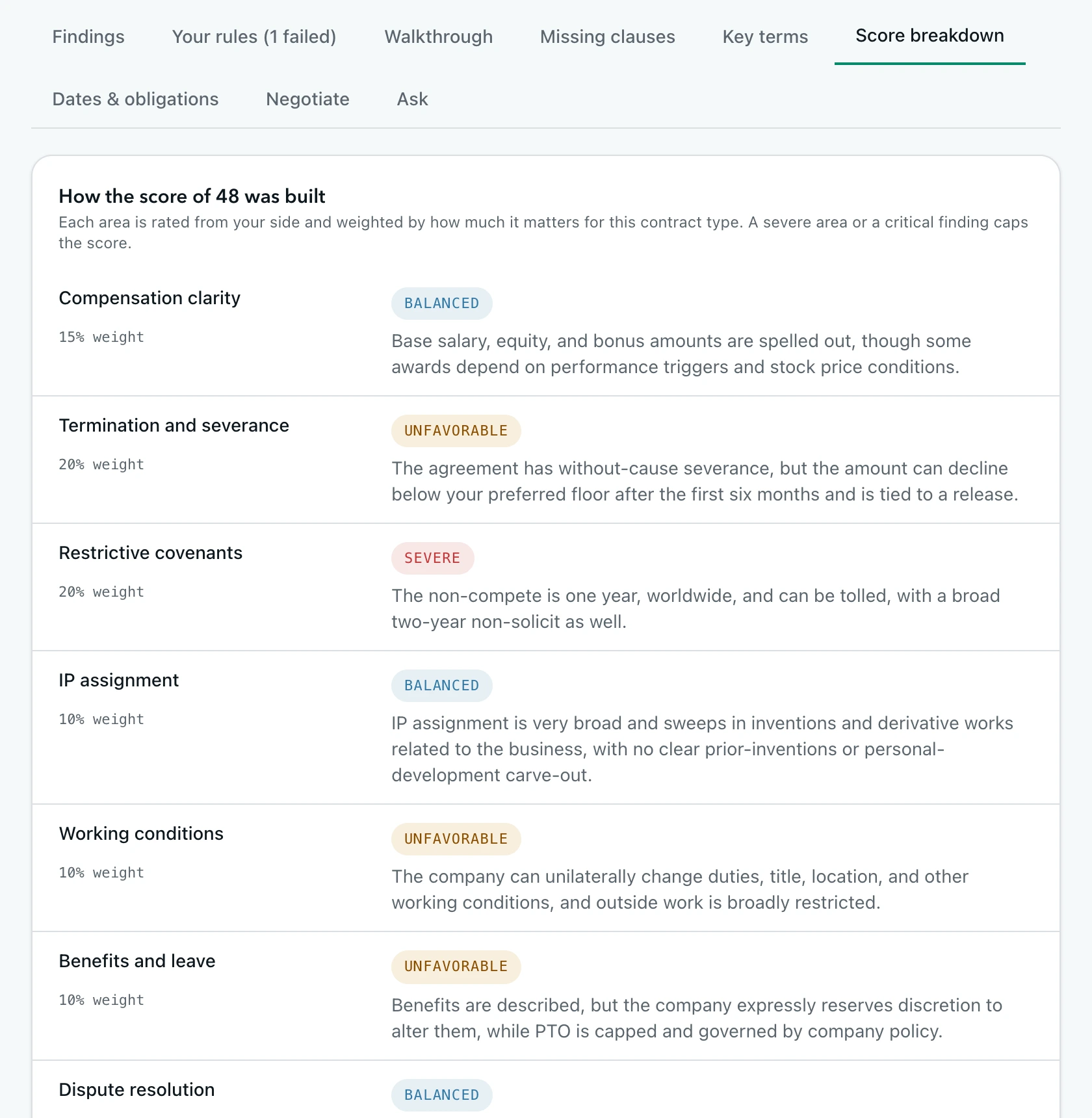
The score is built from a fixed rubric for the contract type: each area is rated from your side and weighted by how much it matters. Severe areas and deal-breakers cap the score, and the rationale is generated from the same table, so the number and the explanation never disagree.

Score breakdown showing weighted areas with ratings

Findings with receipts

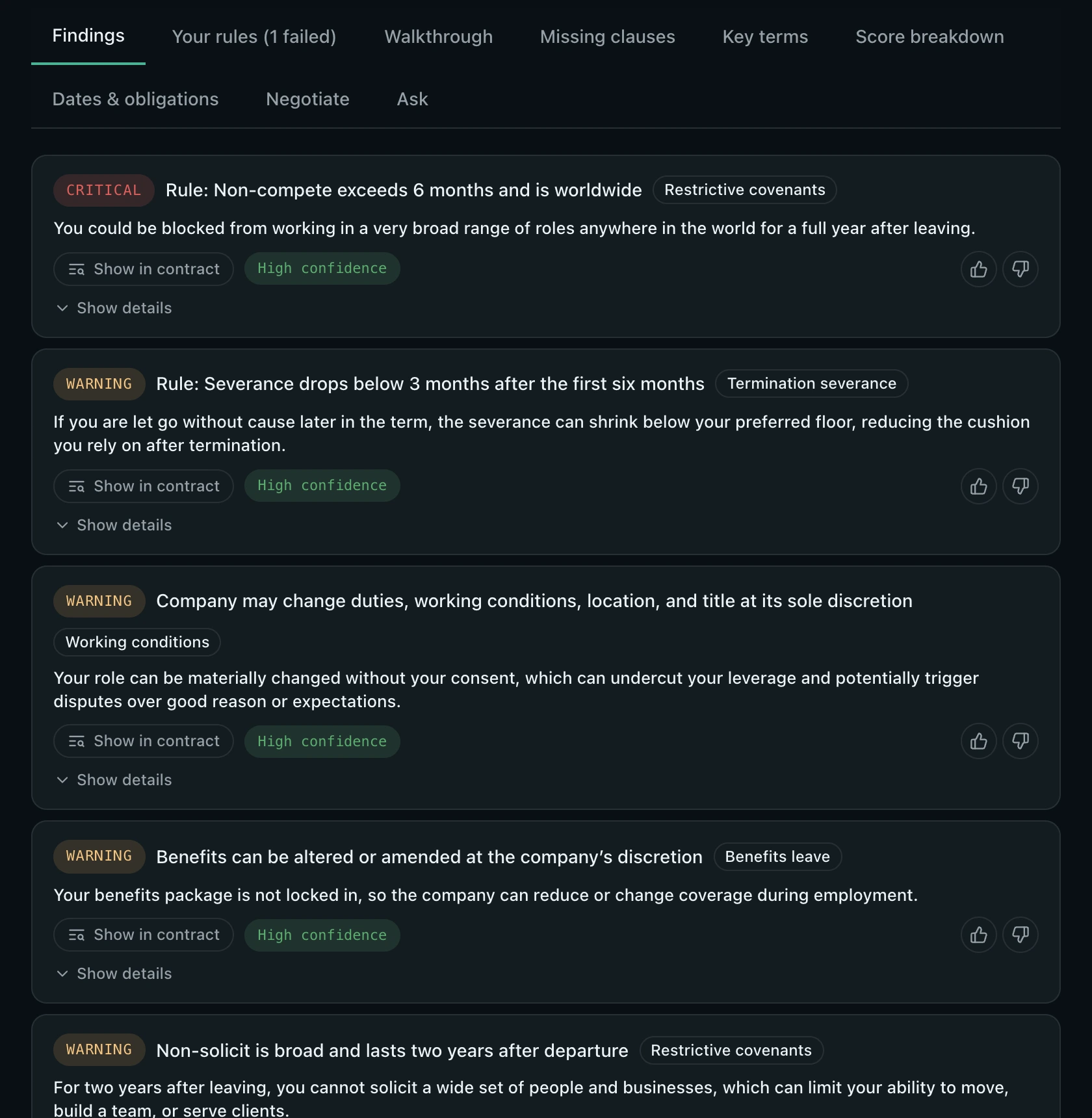
Each finding quotes the clause, says what it means for you, and shows how sure it is.

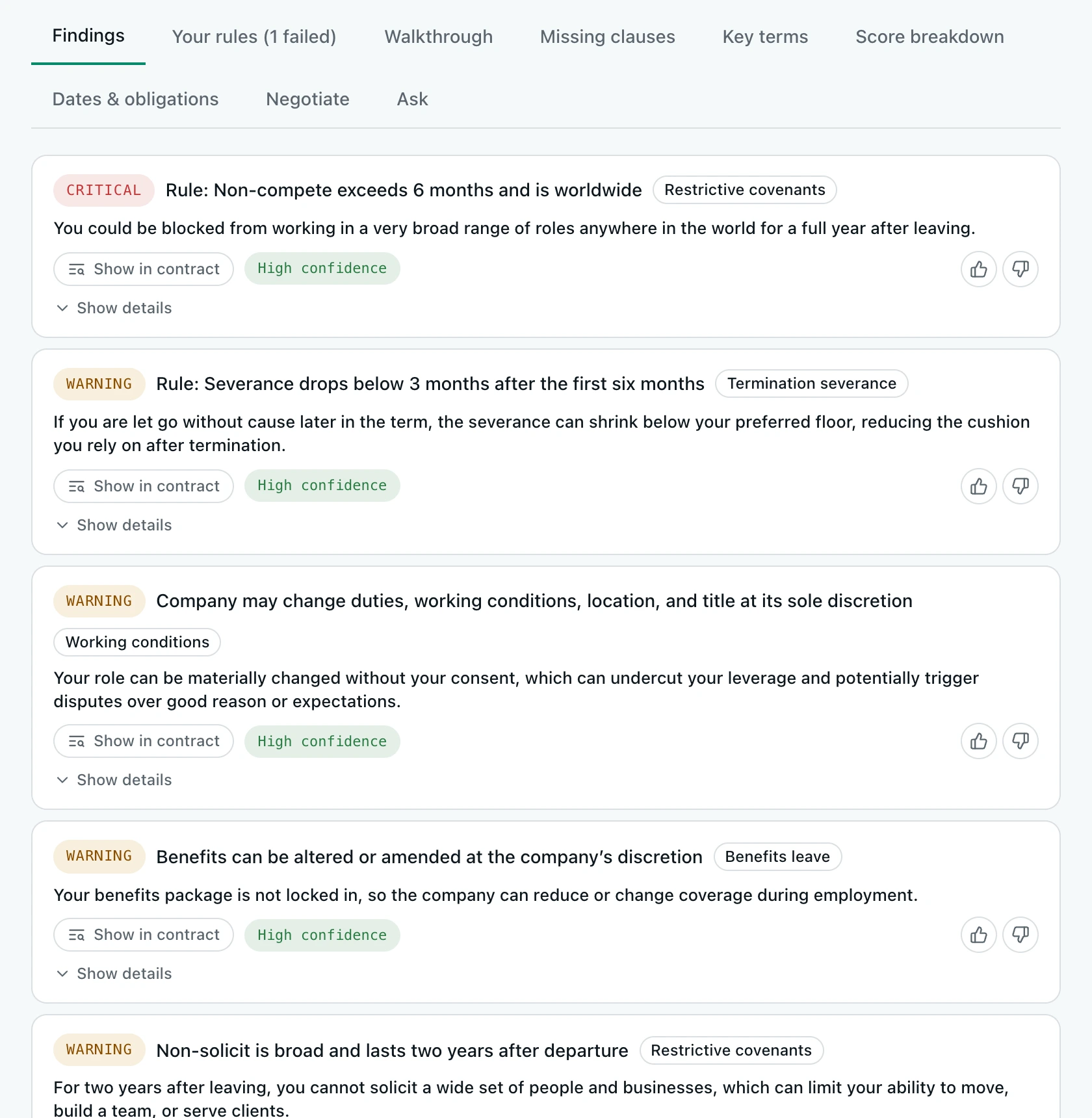
Critical, warning, info and good findings, each tied to the exact passage in your document with one click. A confidence grade tells you when the model is inferring from silence rather than reading a clear clause, and you can thumb a finding up or down.

Findings list with severity, confidence and show-in-contract buttons

Ready to negotiate

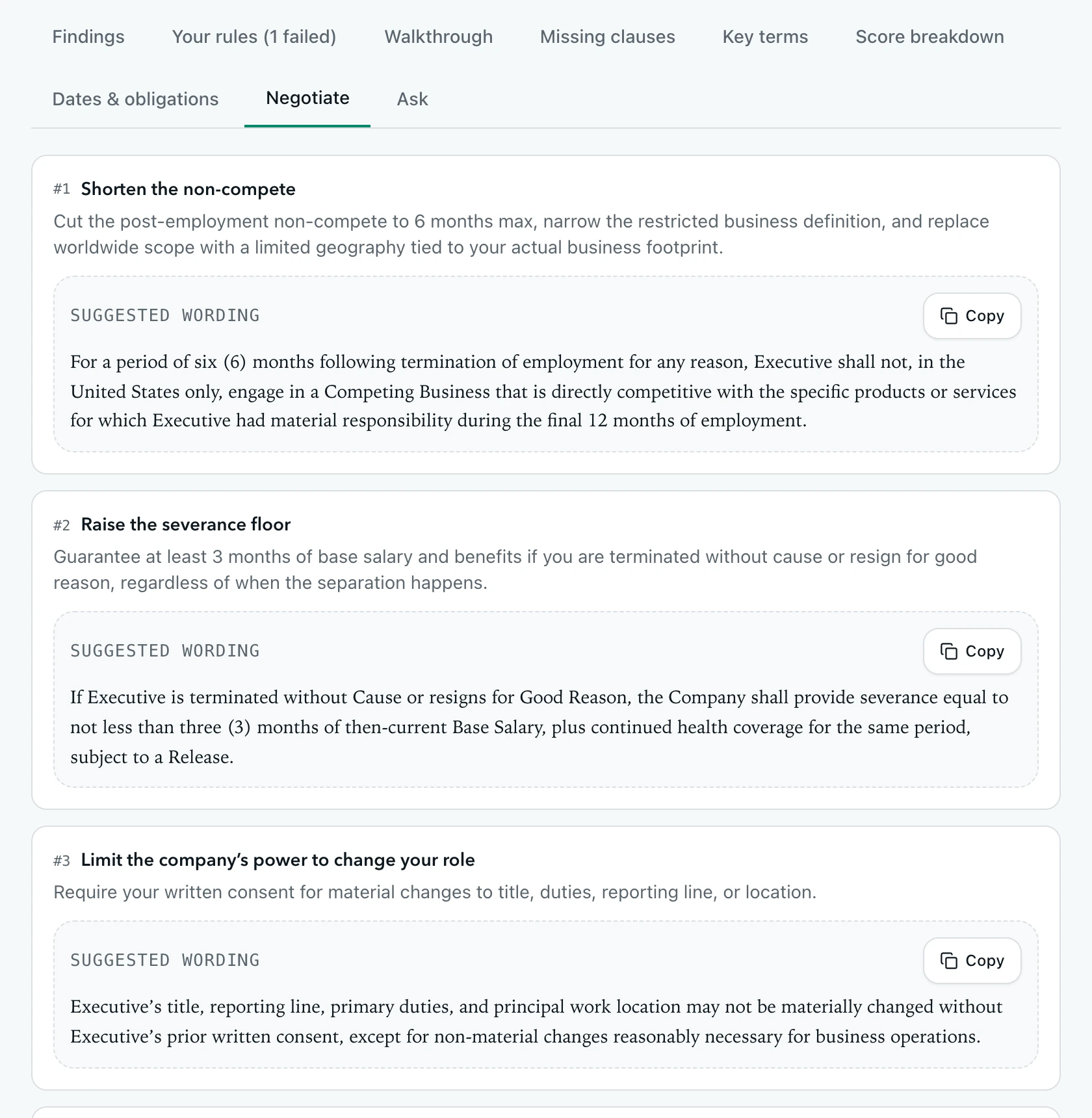
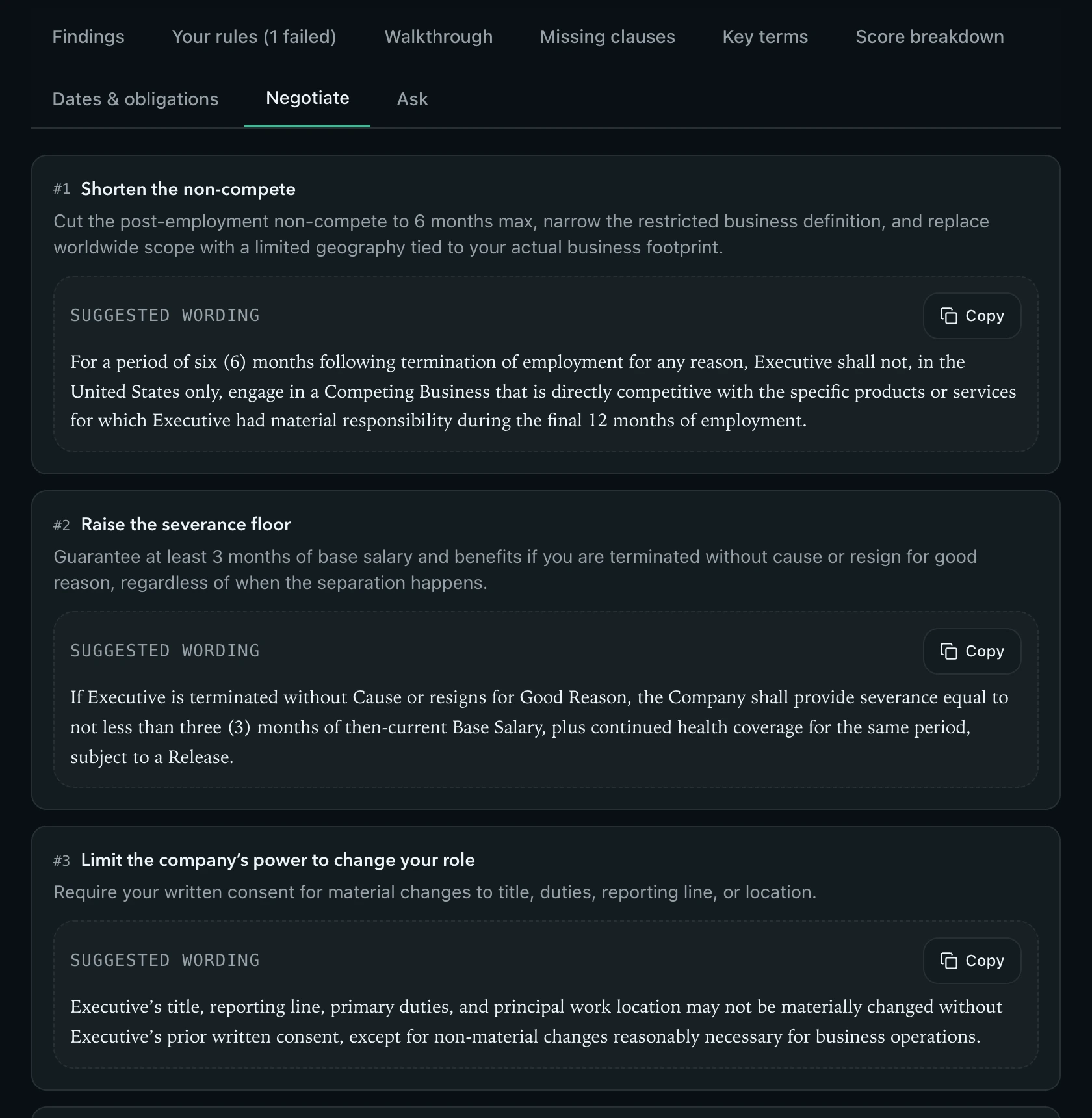
Replacement wording and a message you can send today.

Every negotiable finding comes with clause text you can paste into a counter-proposal, and the report ends with a short, polite message to the other side that references the clauses and asks for the changes.

Negotiation points with suggested wording and copy buttons

Clause by clause

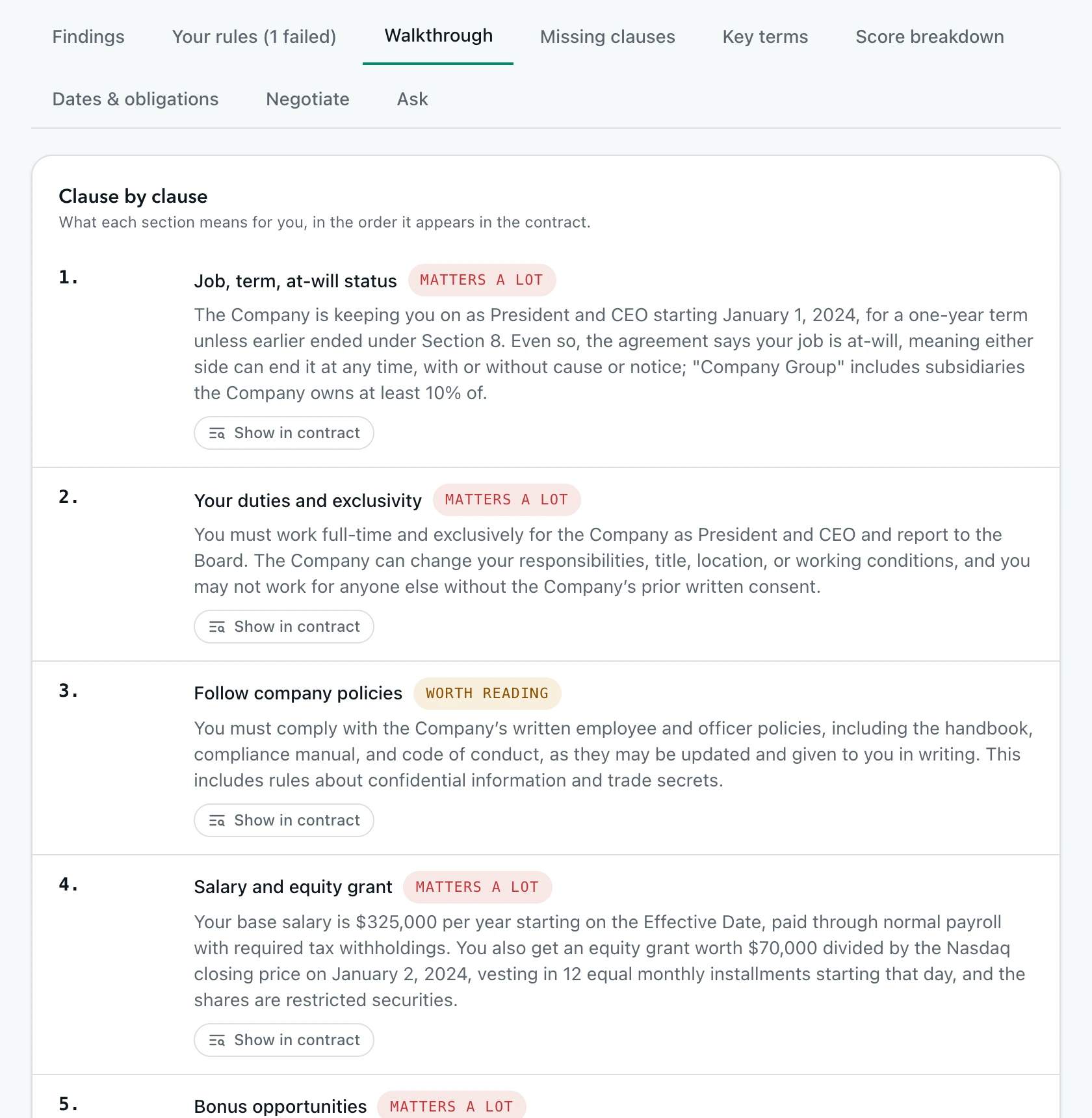
The whole contract in plain English, with a glossary.

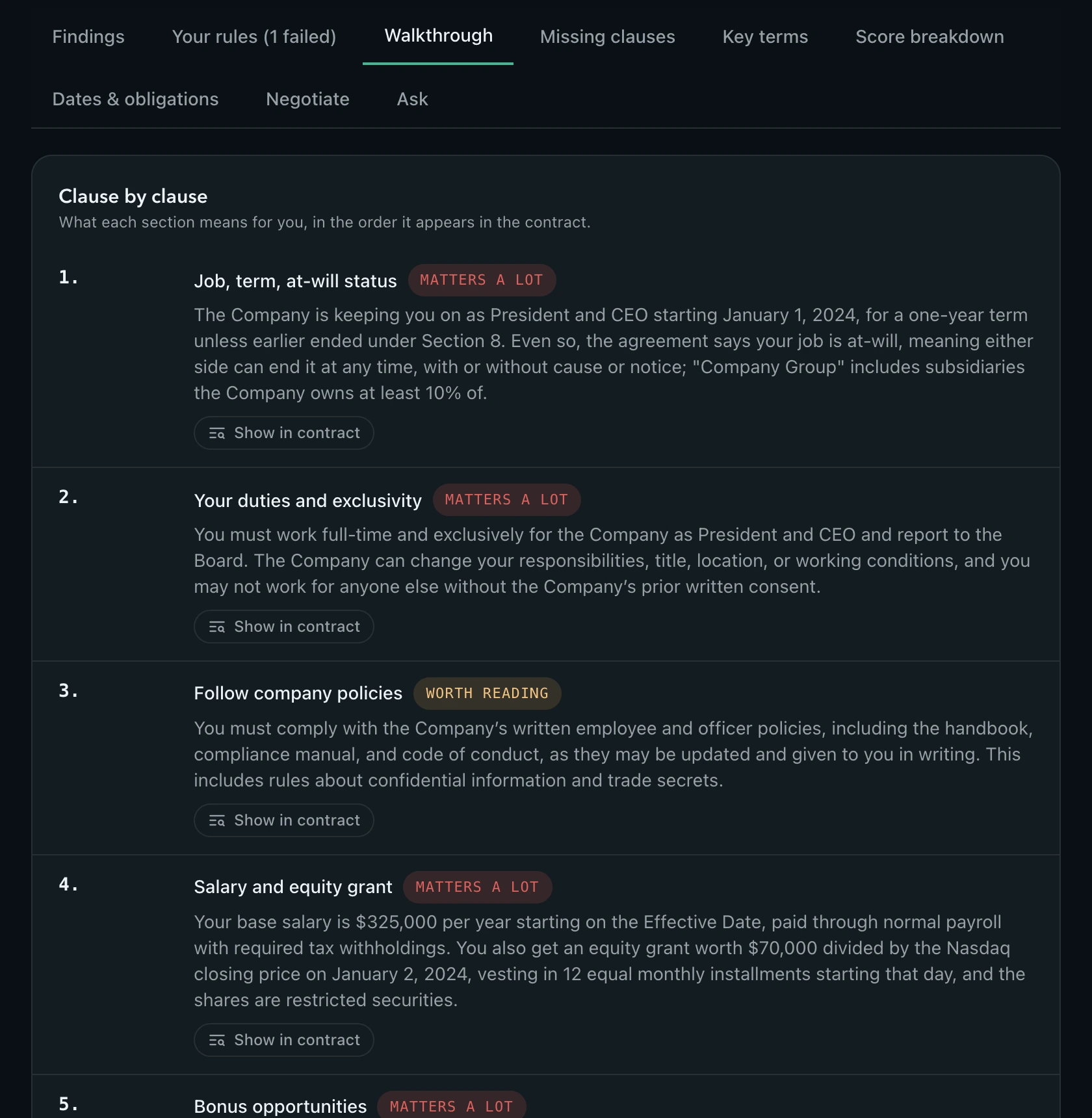
A walkthrough translates each numbered section into one or two sentences, grades how much it matters, and jumps to it in the text. A glossary explains the defined and legal terms as they are used in your contract.

Clause-by-clause walkthrough with relevance labels

Ask the contract

Follow-up questions, answered from the text with the passages that back them up.

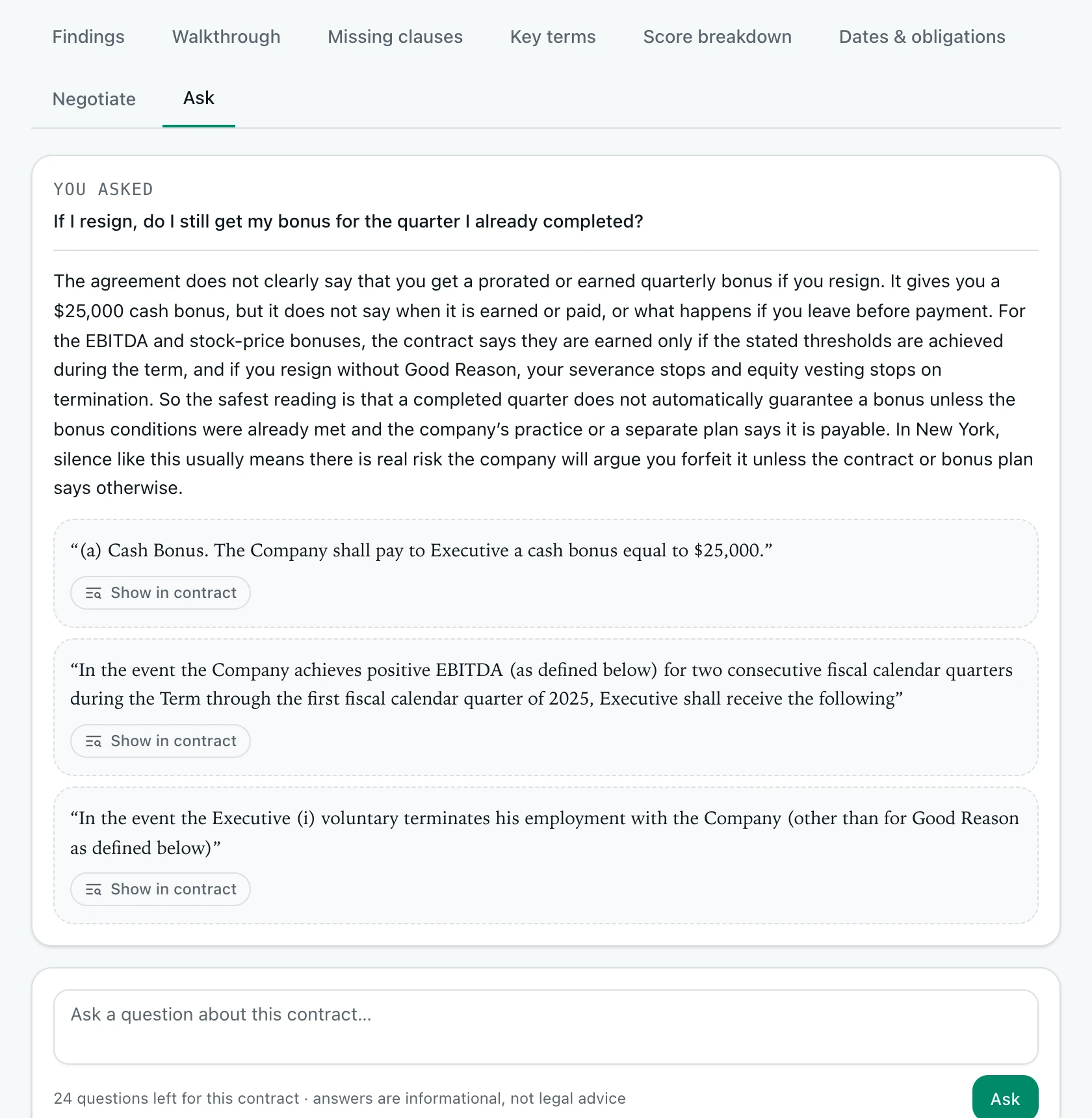
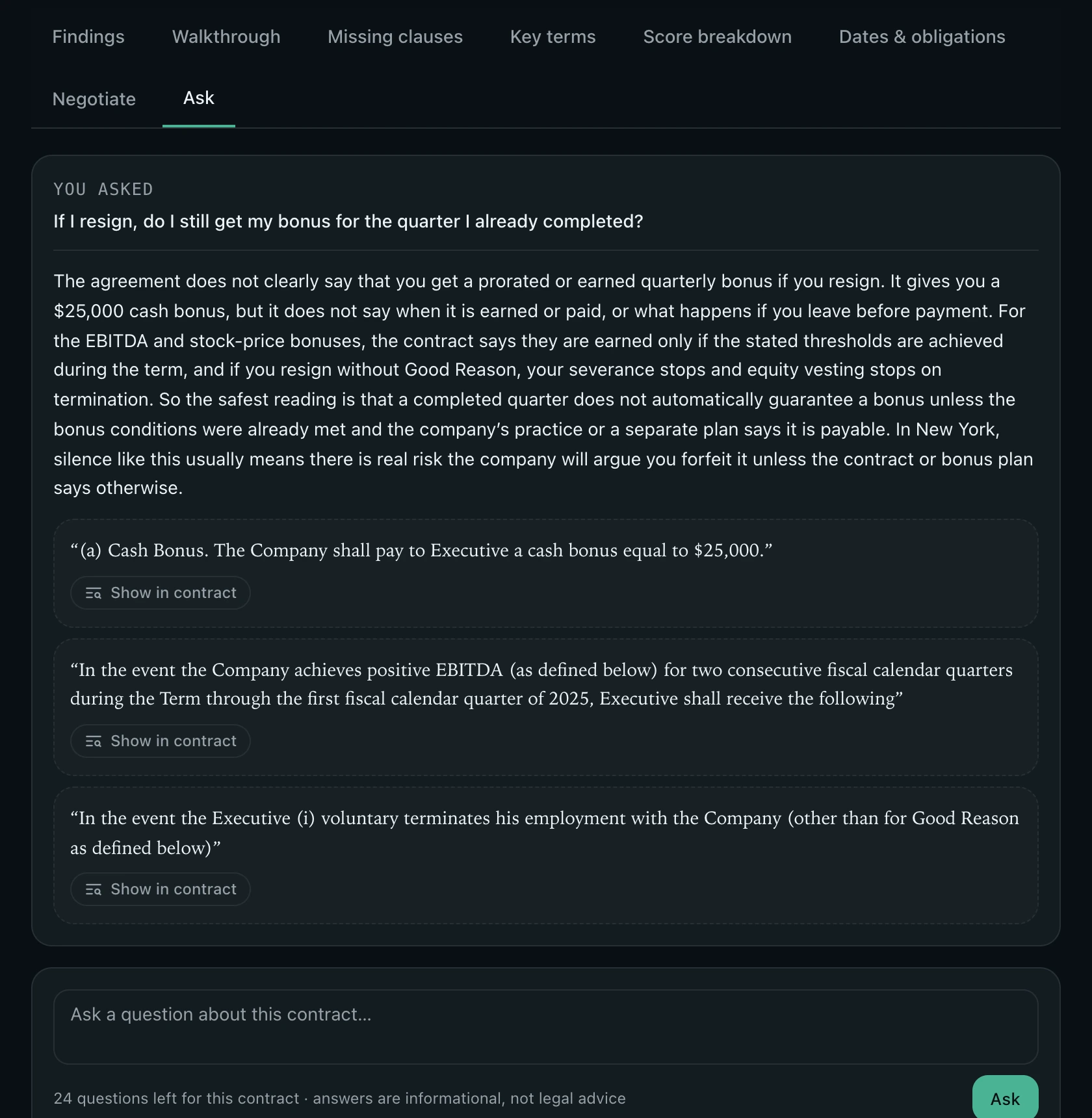
“If I resign, do I still get my bonus?” Ask in your own words. Answers come only from the contract and your report, cite the clauses they rely on, and remember the conversation. Up to 25 questions per contract are included.

Question and answer with quoted contract passages

Dates and obligations

Never miss a notice window.

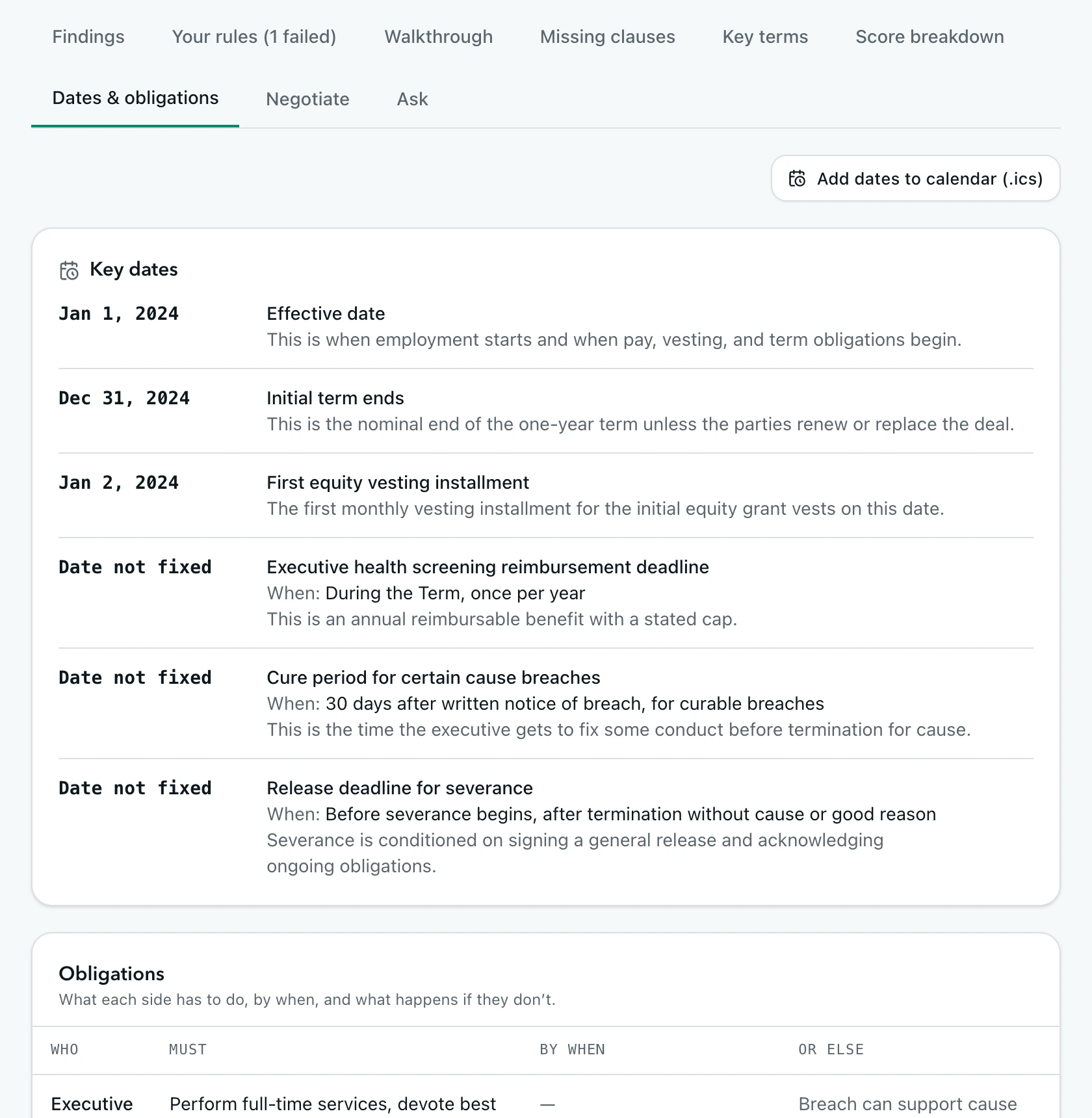
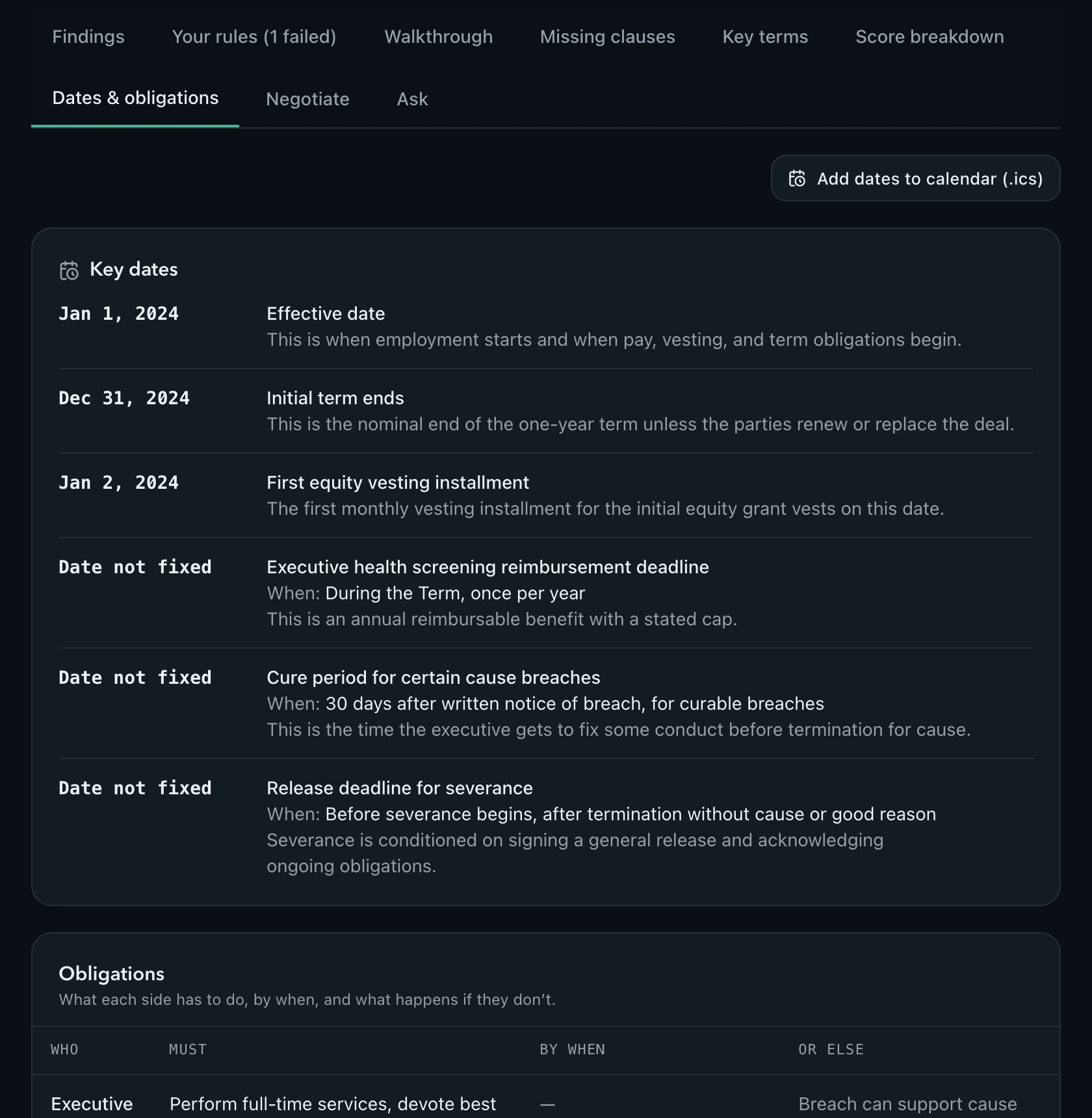
Start and end dates, renewal and notice deadlines, probation ends and cure periods are pulled out with what they mean for you. Add them to your calendar in one click. Your dashboard then lists the one next step on each contract, from a deadline coming up to a rule it breaks, and the next one appears when you mark it done.

Key dates list with calendar export and obligations table

Your playbook

Write your deal-breakers once. Every contract gets checked against them.

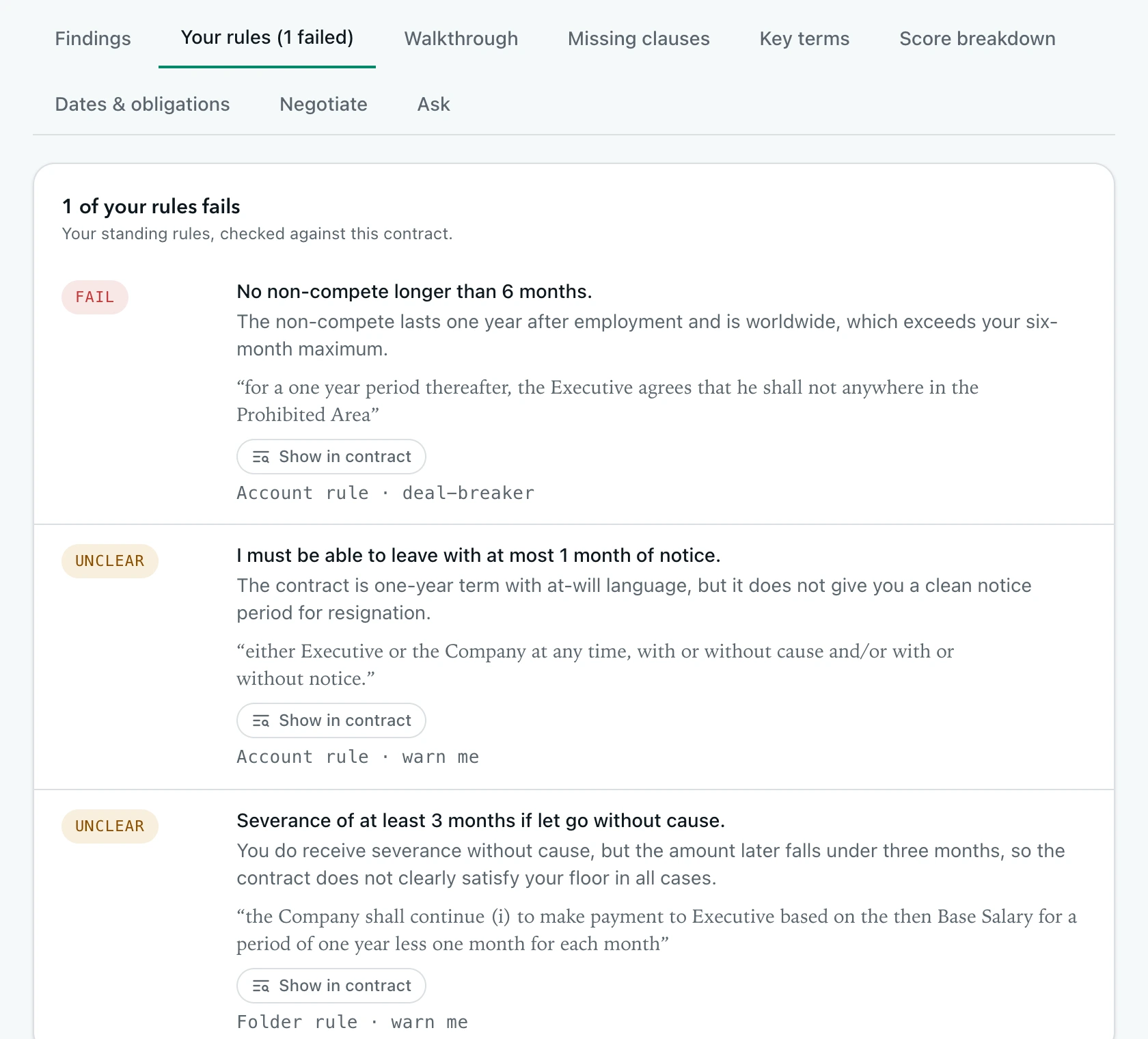
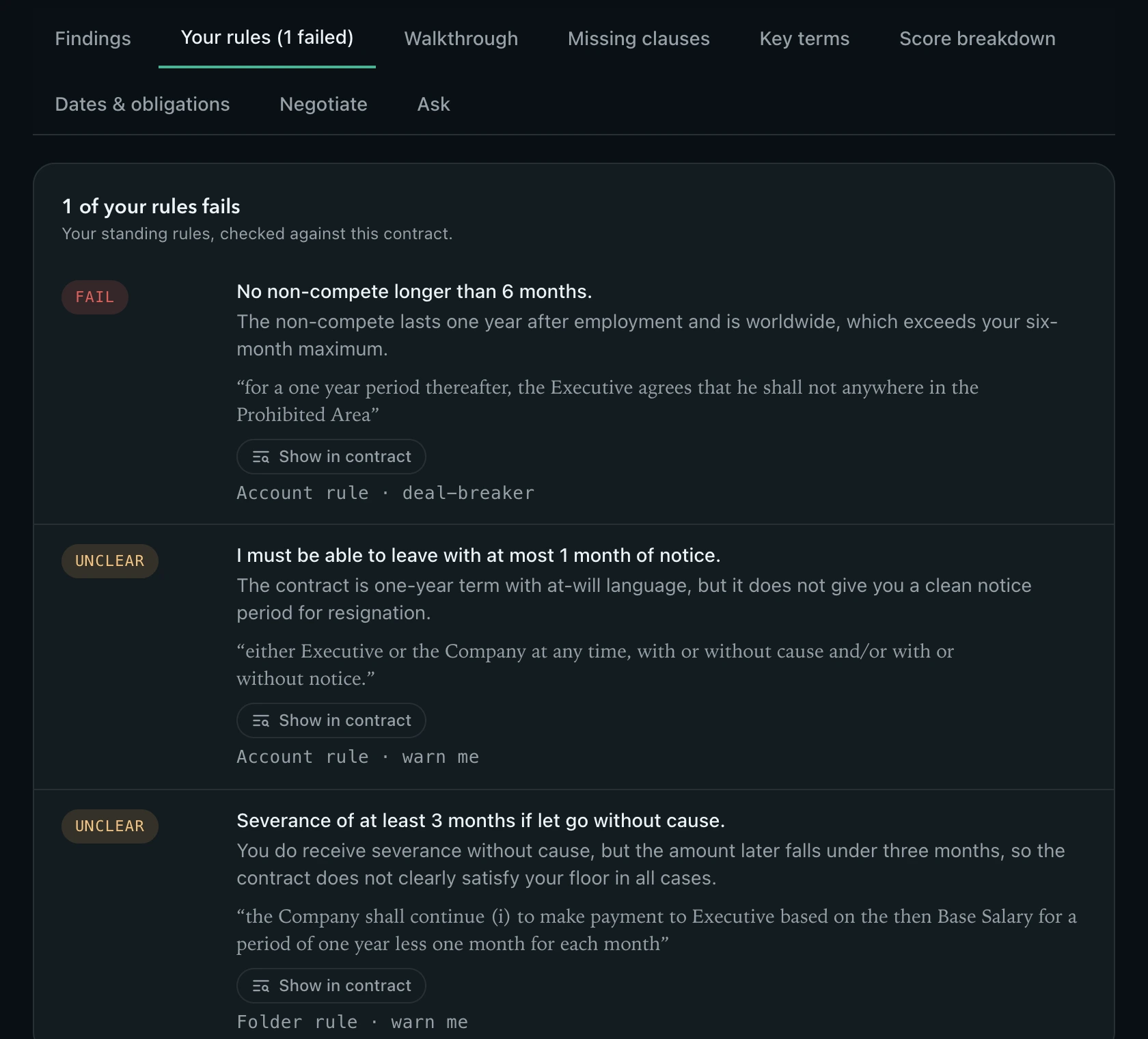
Standing rules for your account or for one folder: “No non-compete longer than 6 months”, “I must be able to leave with a month of notice”. Each report shows pass, fail or unclear per rule with the deciding clause, and a failed deal-breaker caps the score.

Rules tab showing pass, fail and unclear verdicts

Compare and track changes

Two offers side by side, or what changed in the new draft.

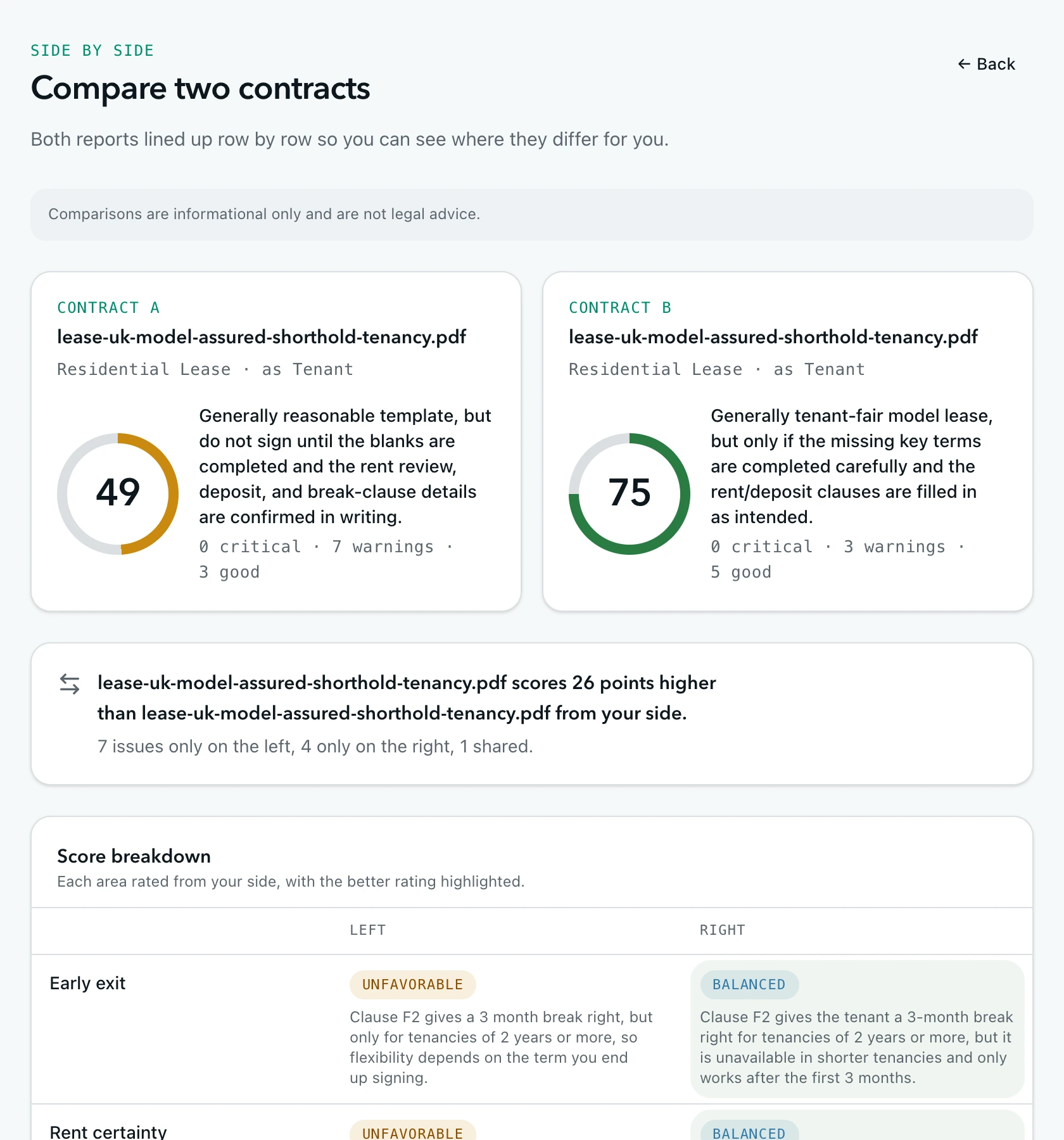
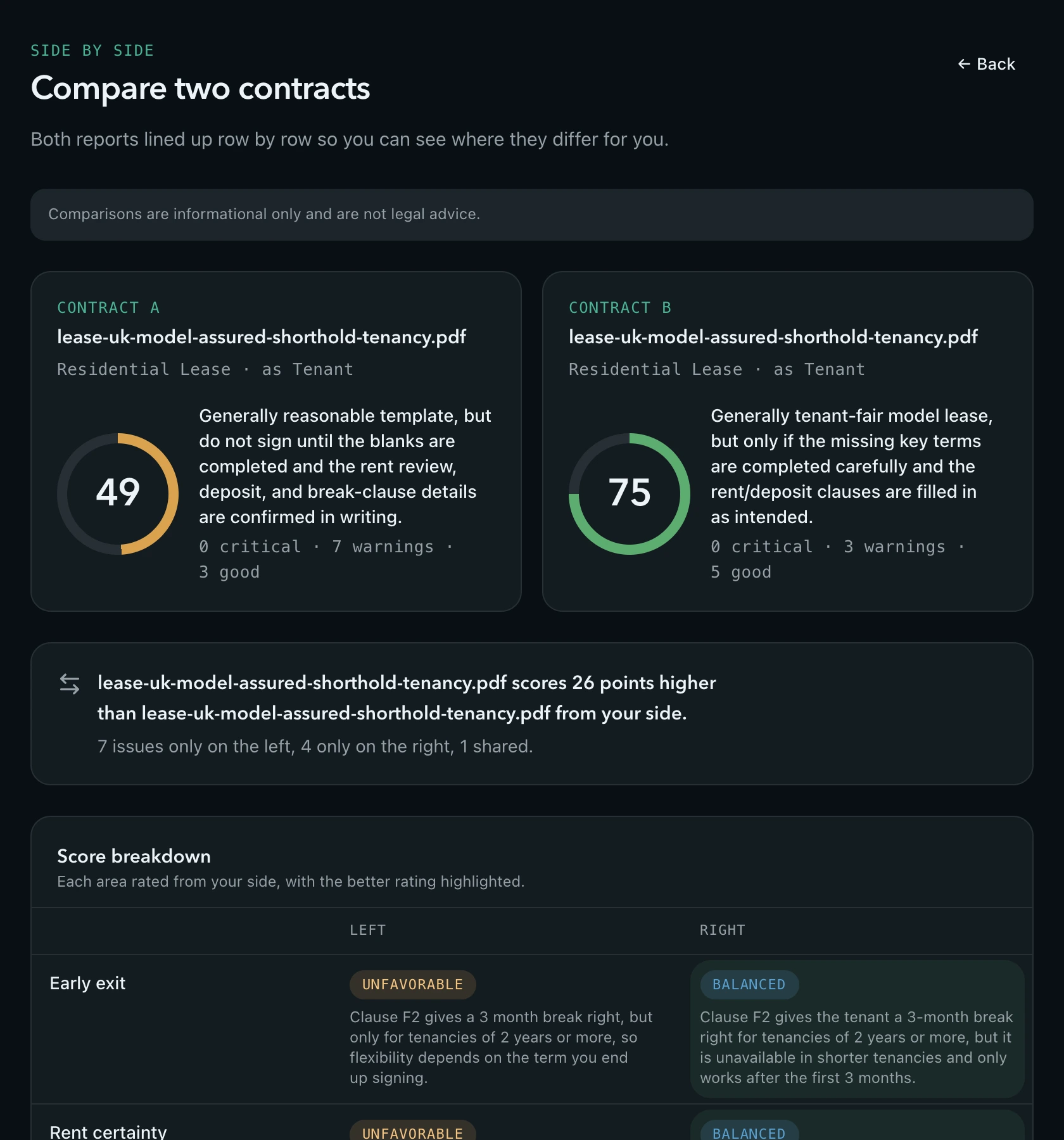
Line up two contracts row by row, with the better rating highlighted. Upload a revised draft against the original and see the score move, the issues resolved, the new ones, and a line-by-line diff of the text.

Side-by-side comparison of two leases

Folders that add up

An apartment hunt or a hiring round at a glance.

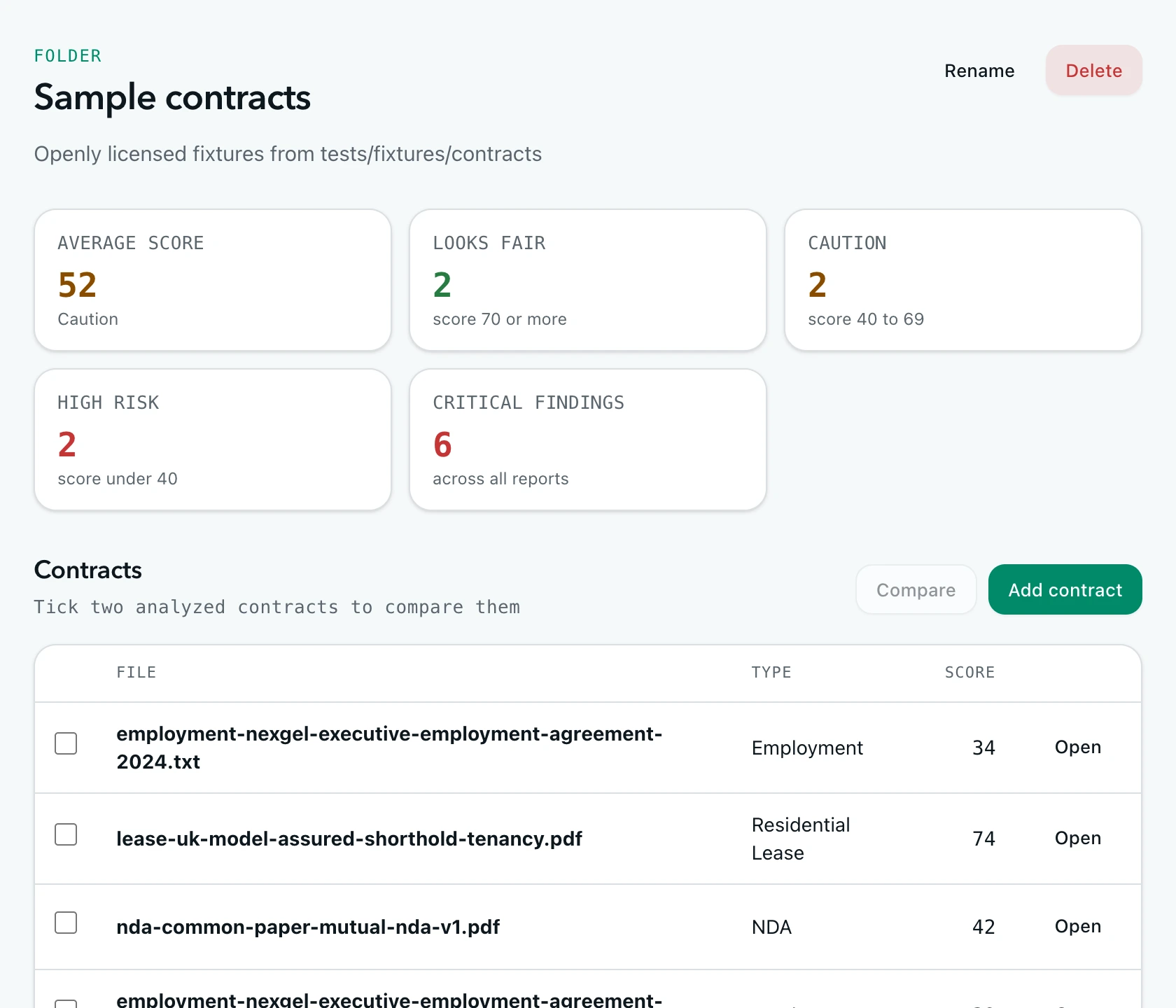
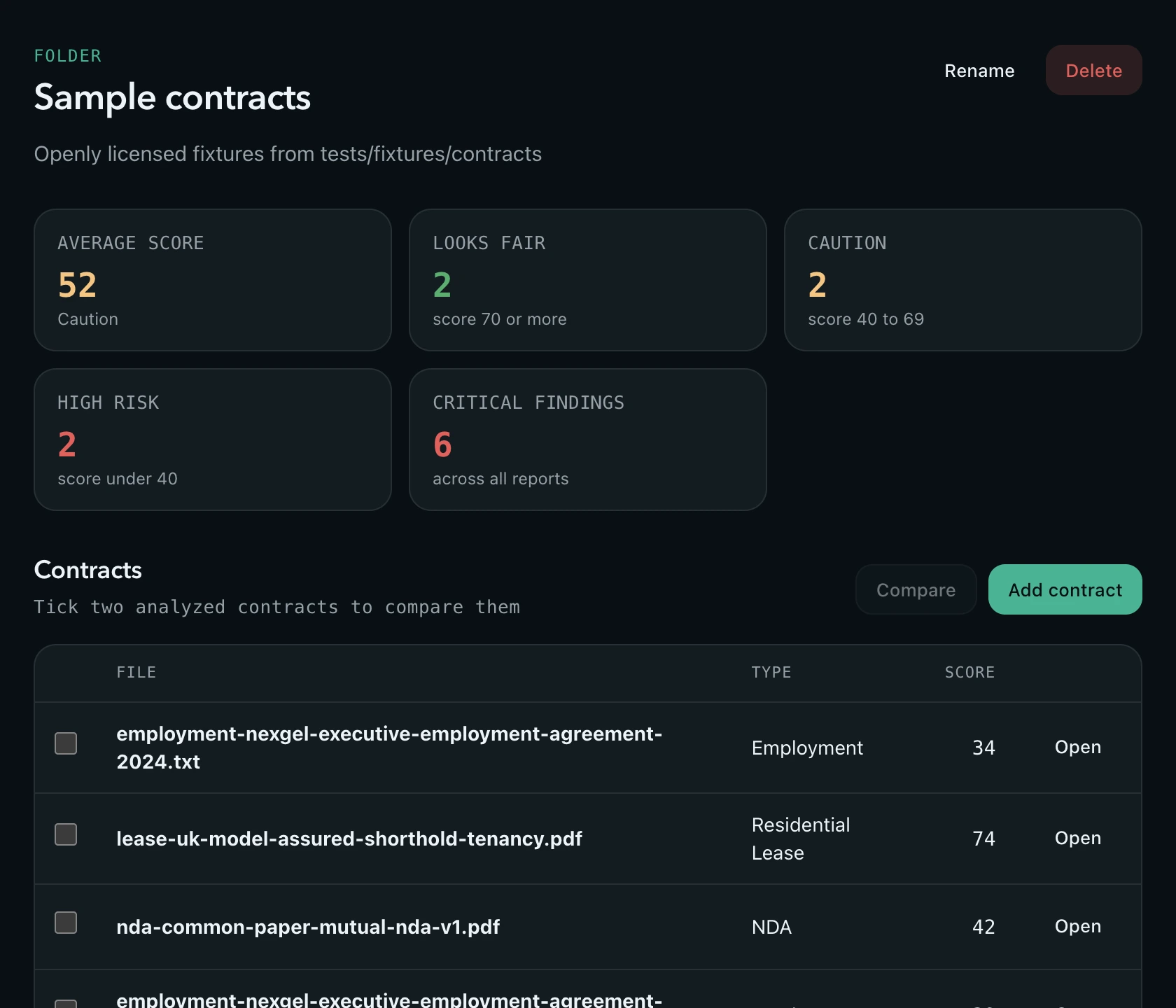
Group contracts in folders and see the average score, how many look fair, need caution or are high risk, the critical findings across them, and the dates coming up.

Folder dashboard with summary tiles

Share, print, revisit

Send a read-only link, save a PDF, or run it again with new context.

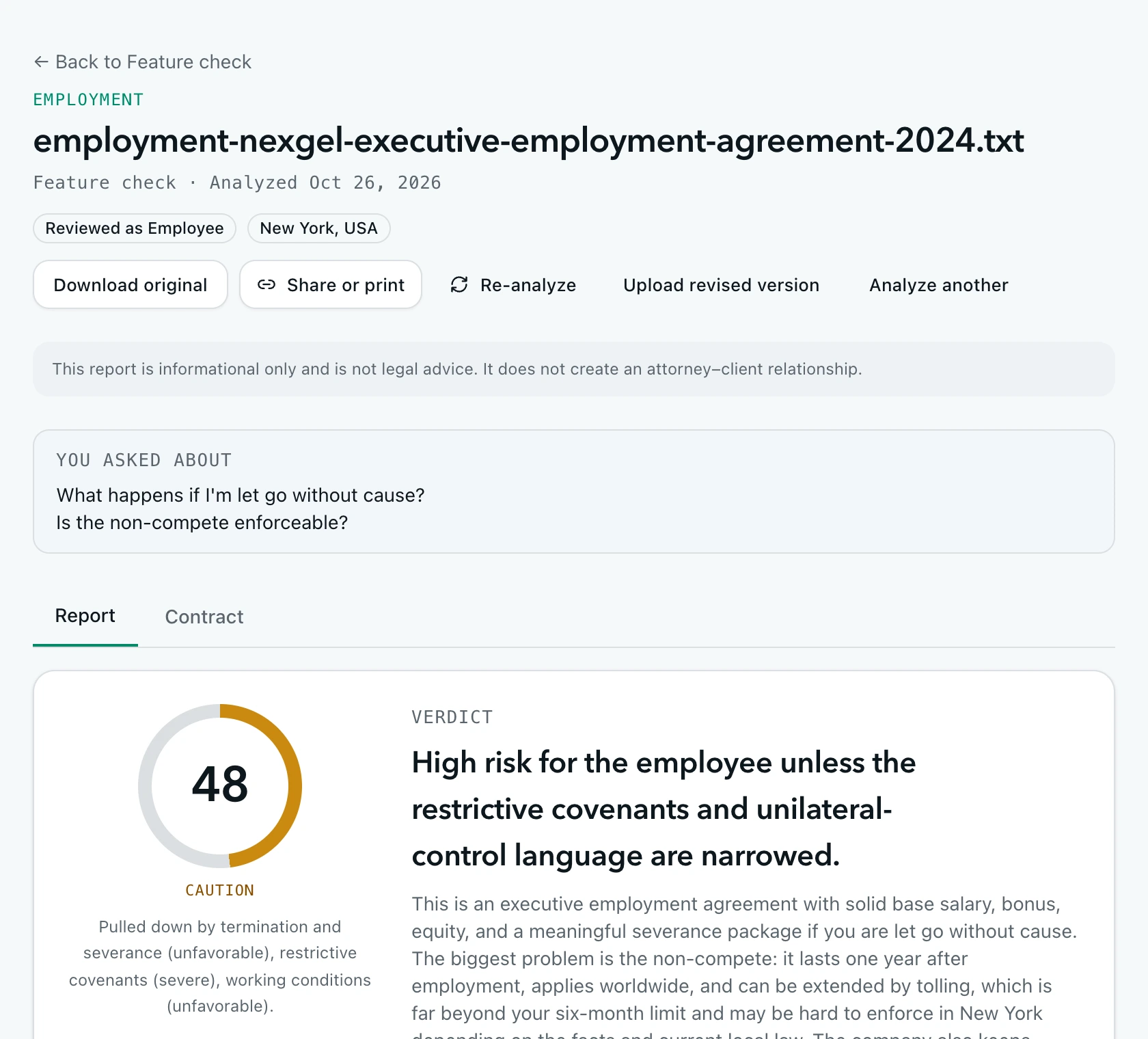
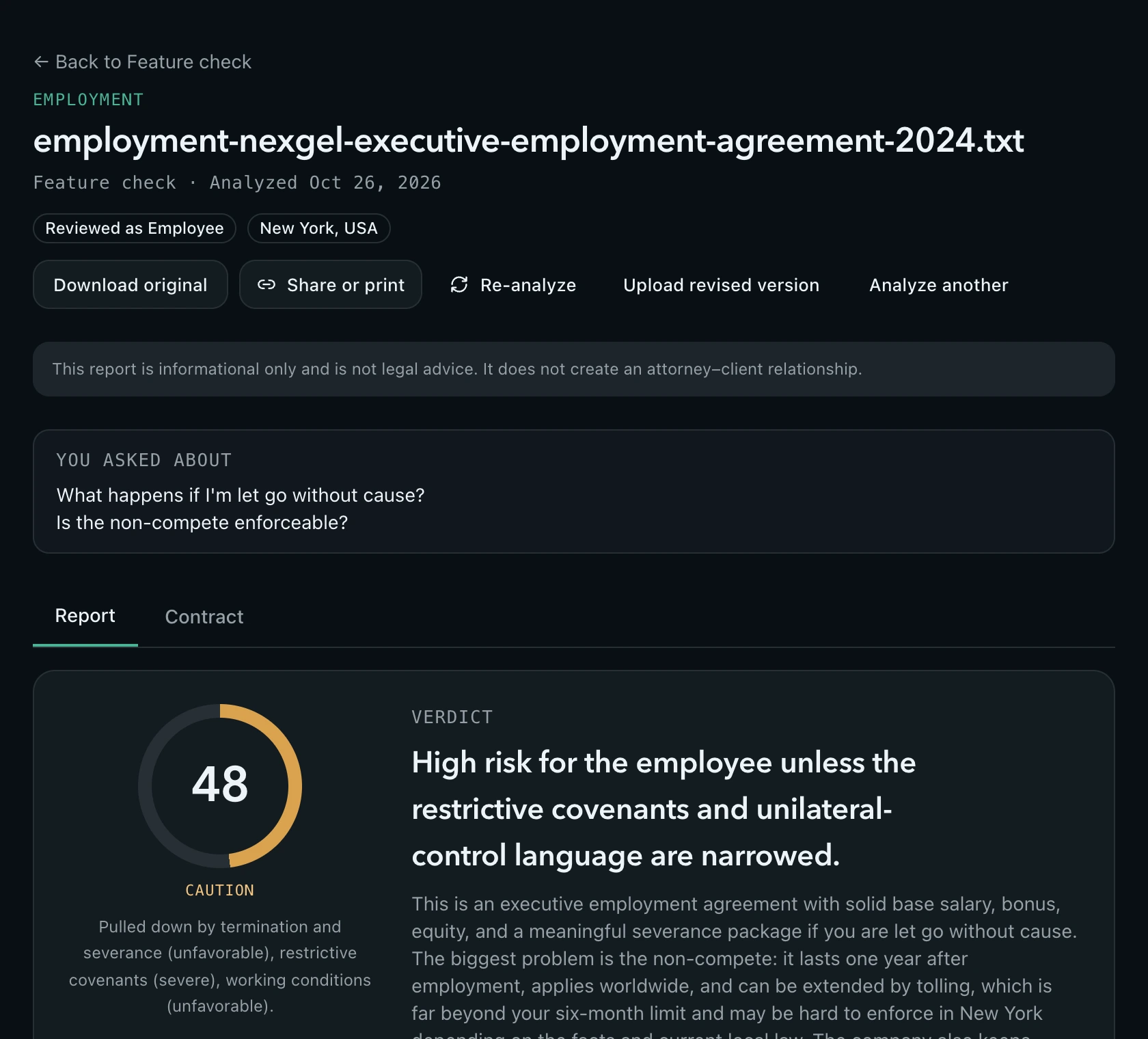
Share a report with a partner or an advisor without sharing the file, and turn the link off whenever you like. Print a clean one-document version. Re-analyze with a different role or concerns for one more credit, and keep every earlier run.

Report header with share, print and re-analyze actions

Your data, your rules

Delete the original the moment the report is ready. Redact before anything leaves.

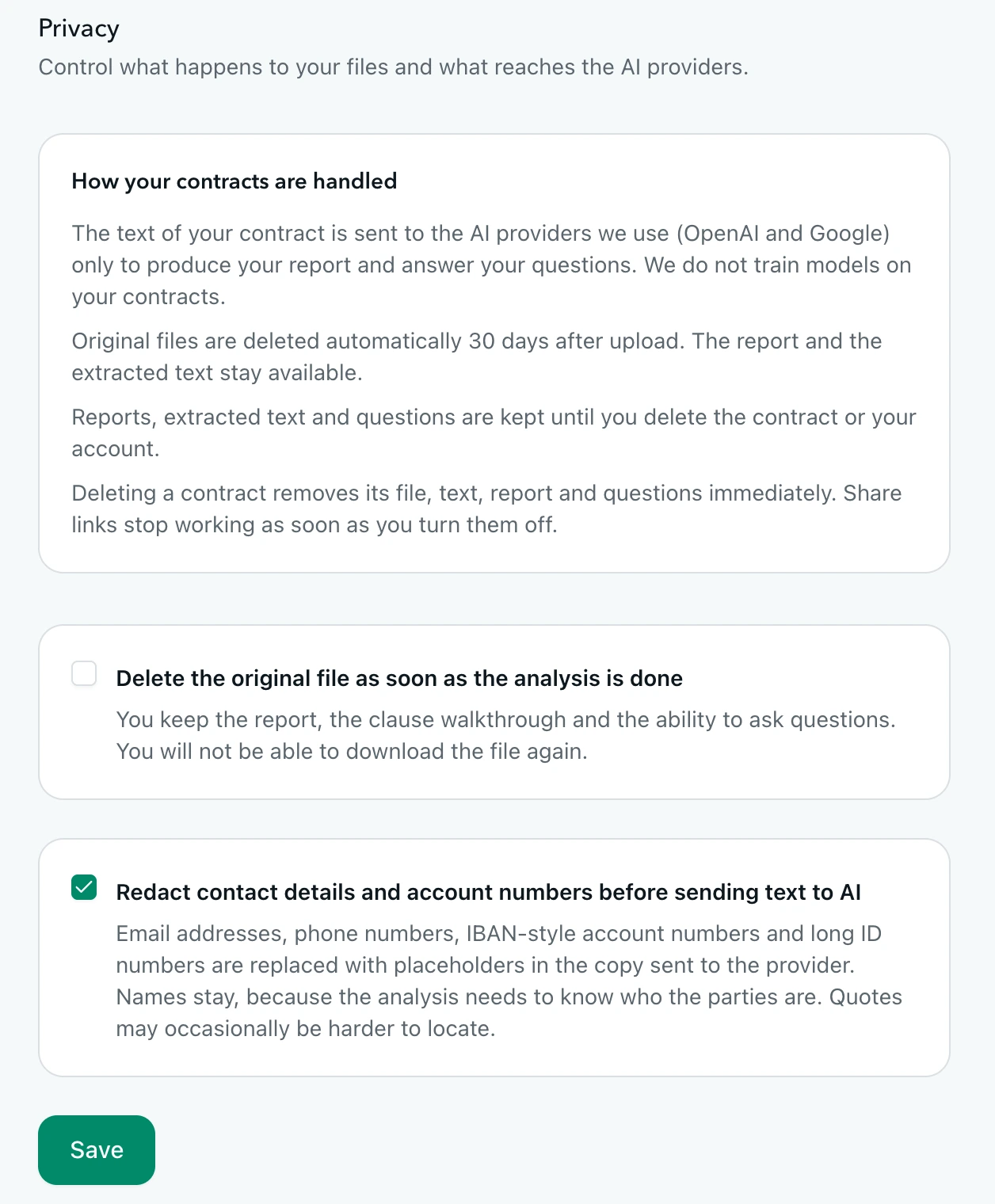
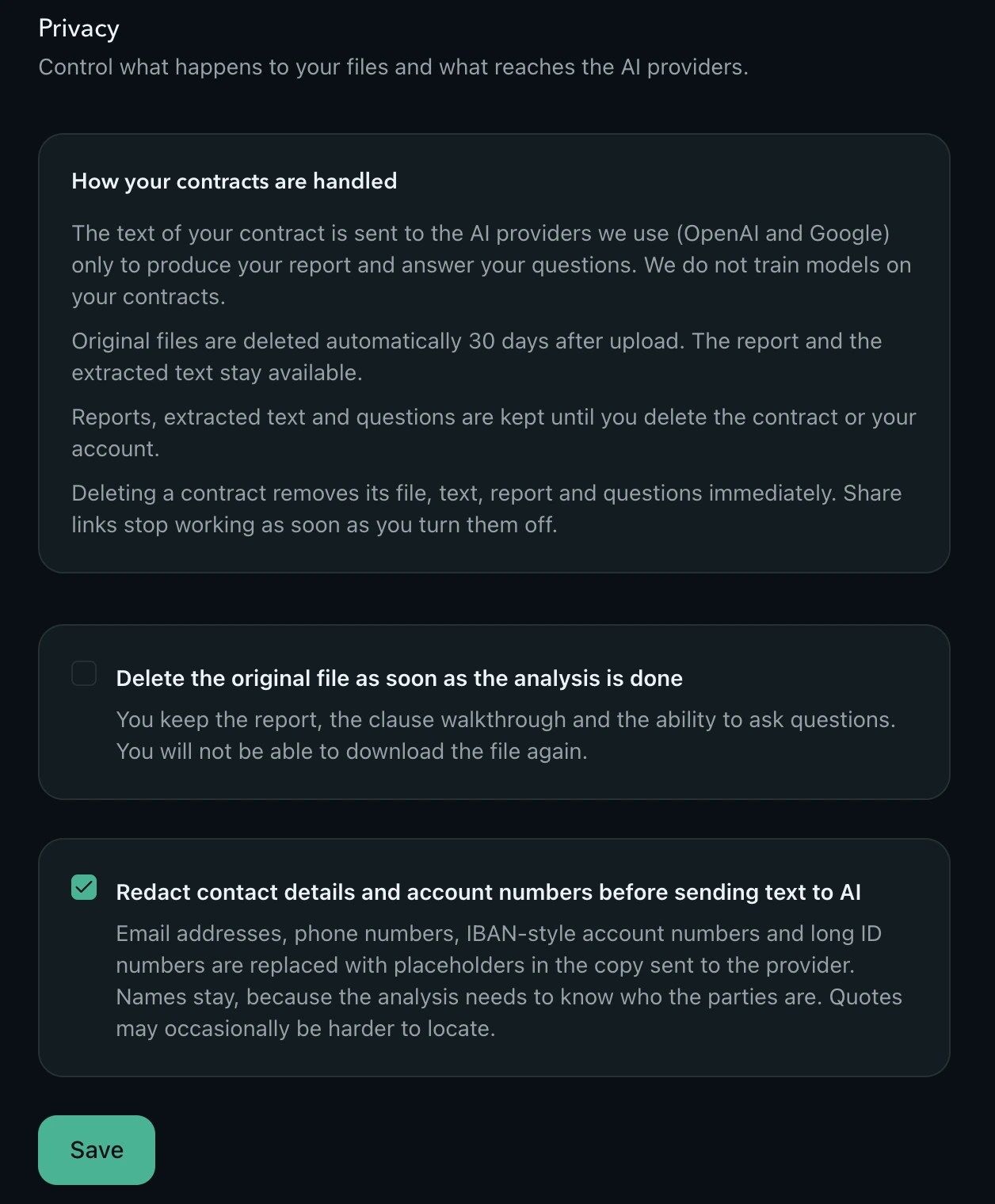
Contract text goes to AI providers only to produce your report, and we don’t train models on it. Choose to delete the original file right after analysis and to replace emails, phone numbers and account numbers with placeholders before sending. Otherwise originals are deleted after 30 days. Sign in with Google, a passkey, or a password with two-factor authentication.

Privacy settings with delete-after-analysis and redaction options

Pay per analysis, no subscription. Questions, walkthrough, comparison and sharing are included with every credit.

Reports are informational only and are not legal advice. Screenshots show an analysis of a publicly filed executive employment agreement and the UK Government's model tenancy agreement, run through the product as any user would.

Ready to check a contract?

Upload a PDF, DOCX, or TXT and get a plain-language report in about a minute. Not legal advice.

Analyze a contract →